Case Study — 05/06
Pearson — eLearning Authoring Platform
Designing connected workflows for learning teams to structure courses, manage classes and build interactive, adaptive lessons within one platform.
- Role
- Product Designer
- Timeline
- 2 years
- Platform
- Web — eLearning
- STATUS
- Live
PROJECT OVERVIEW
Overview
Pearson’s eLearning platform helps learning teams create and manage digital courses. I worked across the core authoring experience, from organising courses and lessons to building interactive learning content.
- SCOPE
- Workspace, class management, course and lesson building, content authoring and adaptive pathways.
- RESPONSIBILITIES
- UX/UI design, interaction design, workflow design, prototyping and engineering handover.
- TEAM
- Product Managers, Learning Designers and Engineers.
Challenges & Solutions
Creating a digital course involved many tools, layers and decisions. The challenge was to make a powerful authoring platform feel clear and easy to use.
01 / 03
Courses became difficult to organise as they grew.
Authors needed to manage lessons, units and different learning paths while keeping a clear view of the overall course.
A clearer course structure
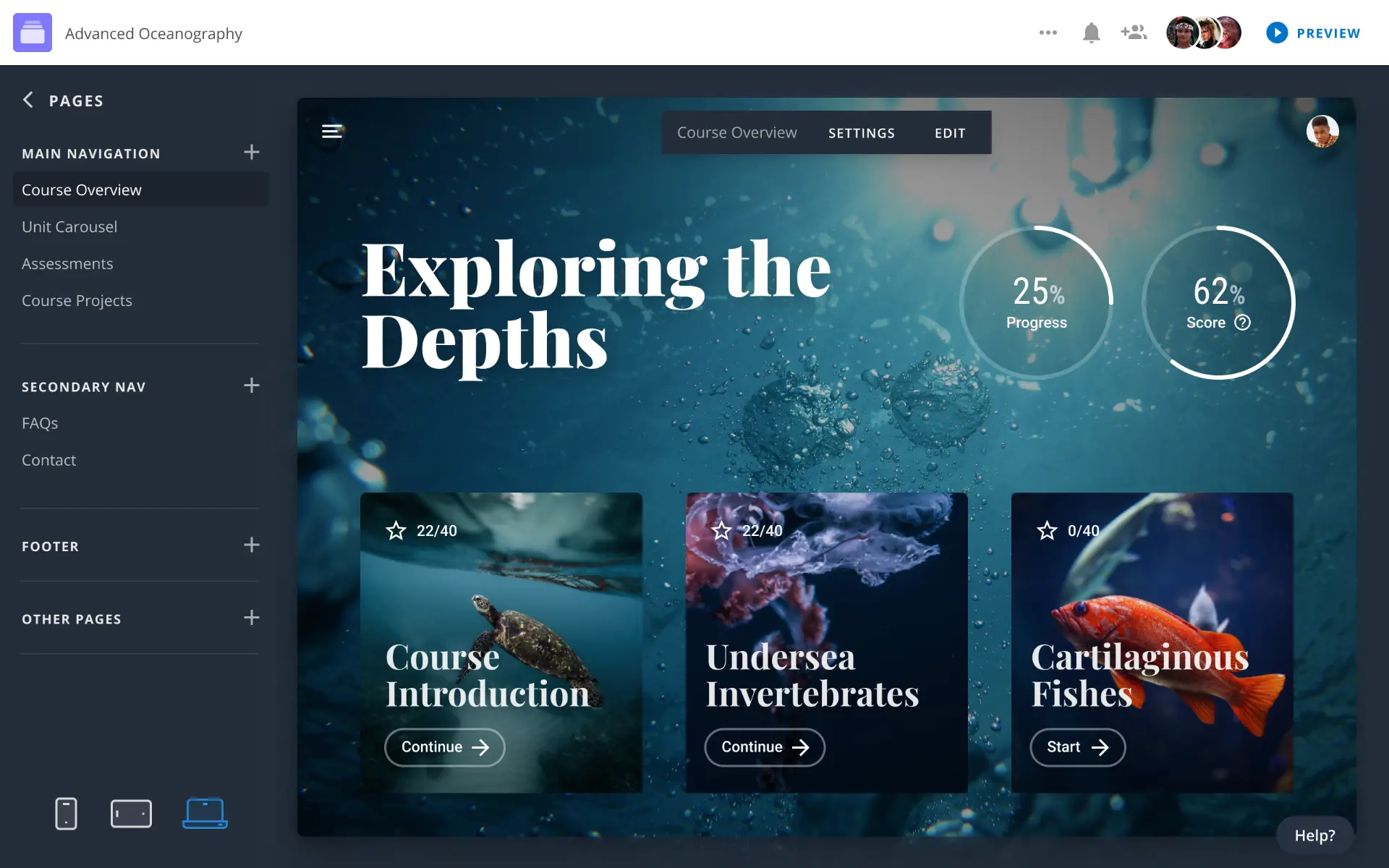
I designed a visual Course Builder that made it easier to organise, move and manage content from one place.
02 / 03
Creating different learning paths could quickly become confusing.
Authors needed to control how learners moved through a lesson depending on their choices and progress.
Visual learning pathways
I designed tools that made different pathways and connections visible, helping authors understand and edit the learning experience more easily.
03 / 03
Keeping authors in context
Authors needed to move between lesson structure, content and scenario logic without losing track of the learning flow.
A connected authoring flow
I designed a connected workflow that kept structure, content and scenario logic together.
One workflow, from workspace to lesson
Pearson brought different stages of course creation into one connected authoring experience. Learning teams could organise their work at workspace level, structure courses and then move into individual lessons to build the learning experience.
Working within an established design system, I collaborated closely with Product Managers and Engineers to translate product requirements into clear, scalable workflows across the platform.
WORKSPACE
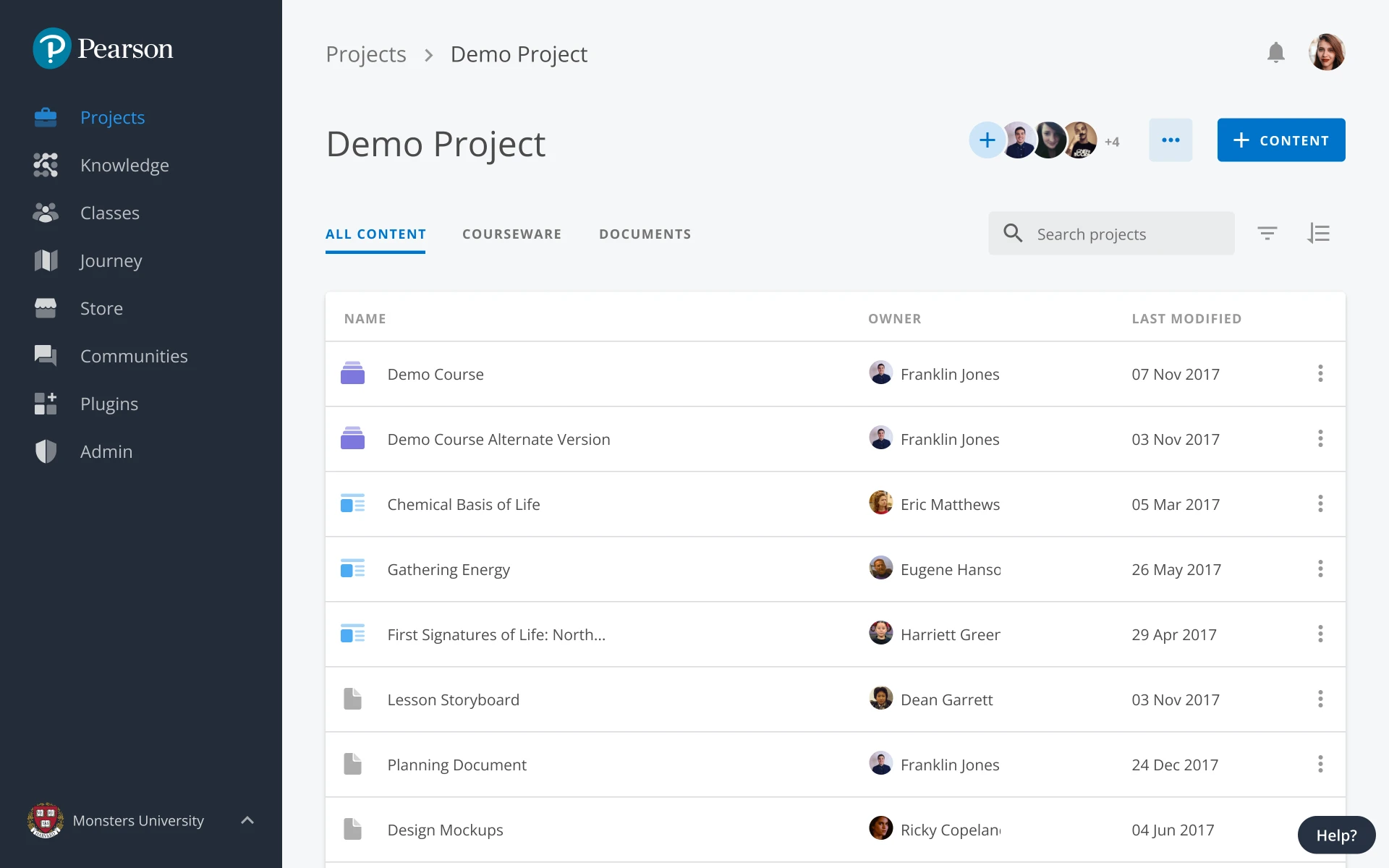
Teams needed a clear place to organise projects, courseware and ongoing work.
The Workspace brought these activities together into one consistent starting point across the platform.
WORKSPACE
Organise projects and courseware.
COURSE BUILDER
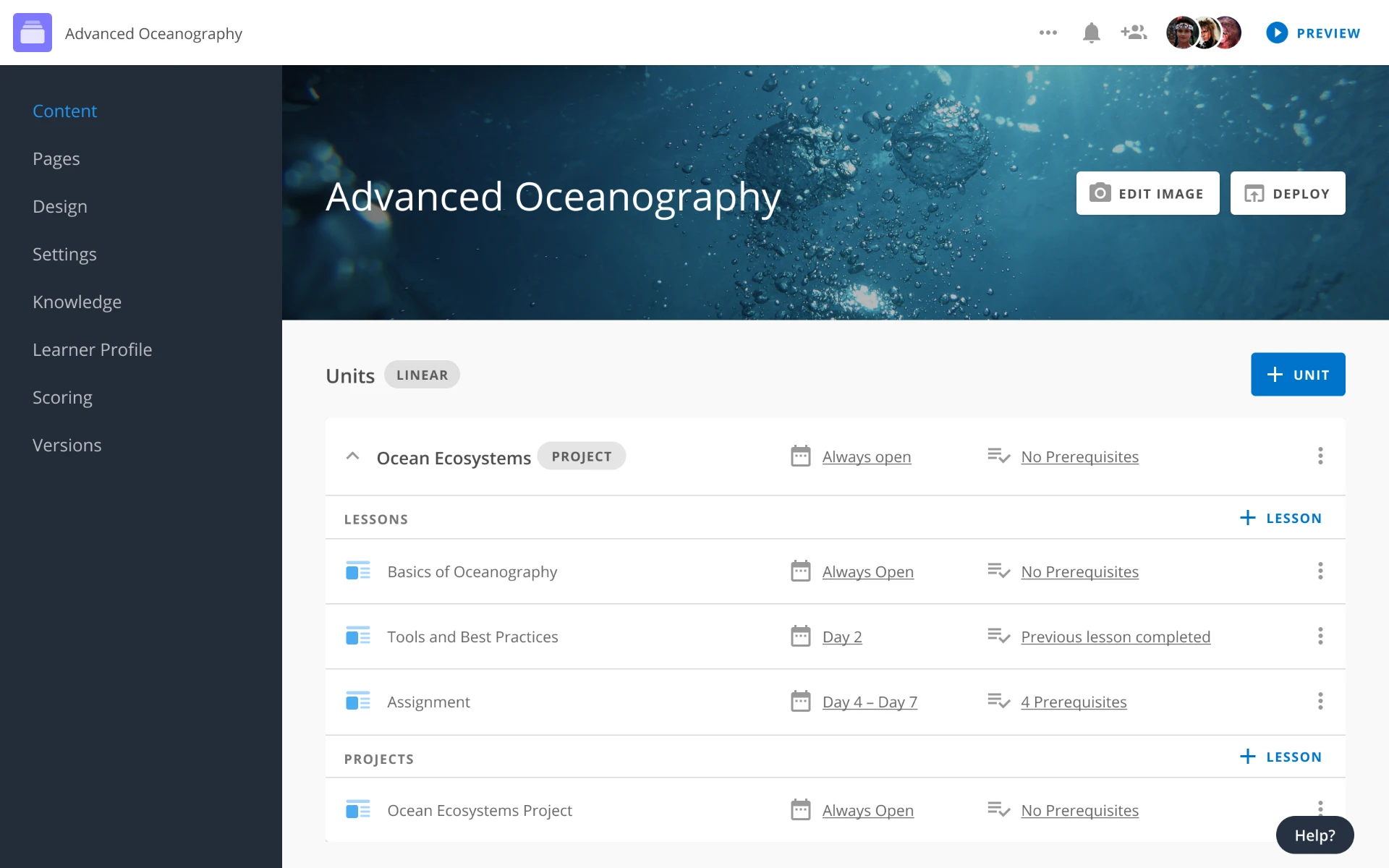
As courses grew, authors needed to organise units, lessons and projects without losing sight of the overall structure.
The Course Builder made that hierarchy visible and easier to manage within one connected workflow.
COURSE BUILDER
Structure courses and lessons.
LESSON BUILDER
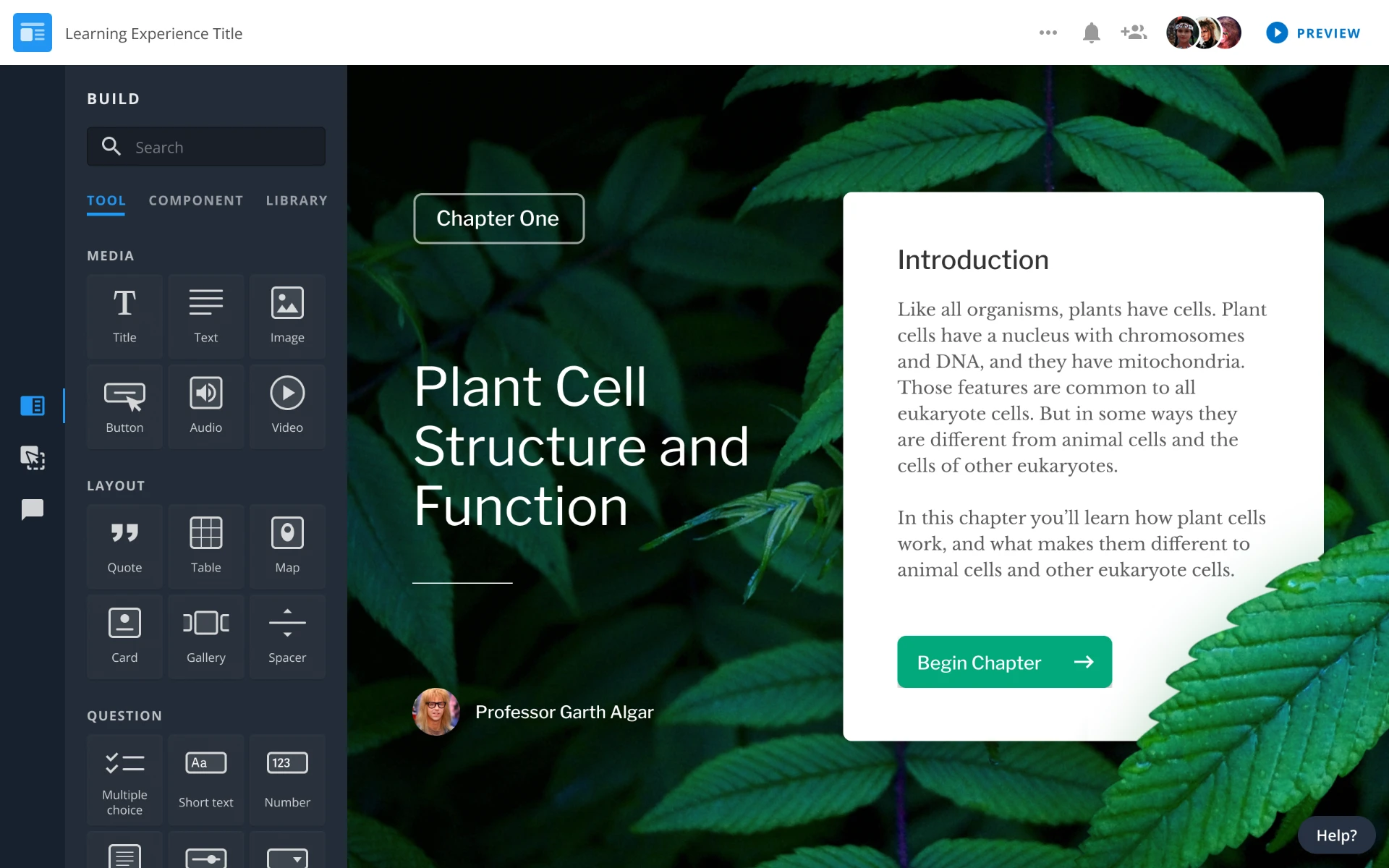
Once the course structure was defined, authors needed to move into individual lessons without switching tools or losing context.
The Lesson Builder connected lesson planning, content creation and adaptive behaviour within the same authoring experience.
LESSON BUILDER
Build interactive learning content.
Managing courseware, classes and learner progress
As courseware moved into live classes, teams needed to manage enrolments, content, learner progress and grading without losing context.
I designed the Workspace to bring these connected tasks into one clear environment, giving teams a consistent way to move from class management to learner performance.
HOME
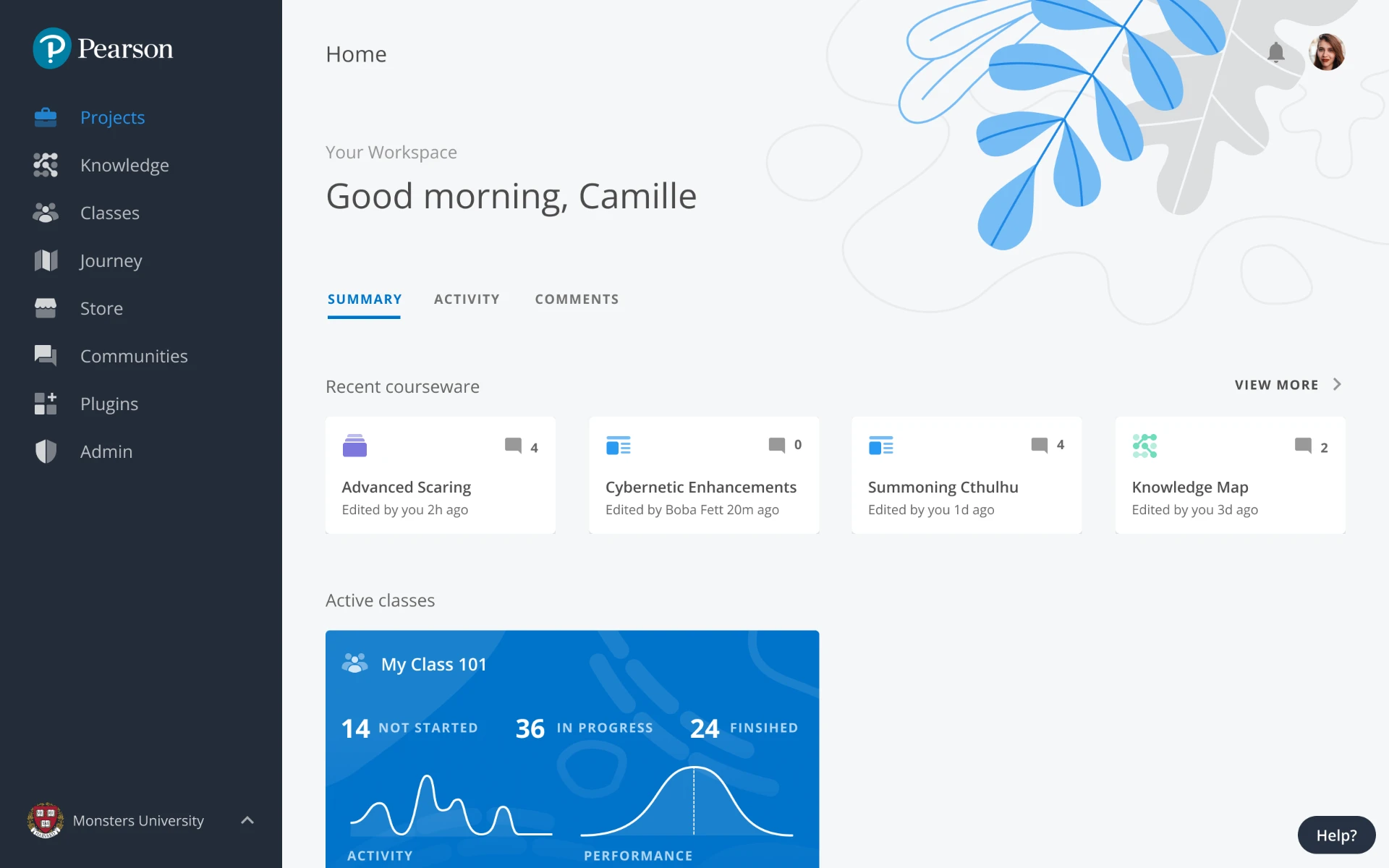
With multiple courses and classes in progress, teams needed a quick way to understand what required their attention.
The Home experience surfaced active courseware, classes and recent activity in one clear overview.
HOME
A clear overview of active courseware, classes and recent activity.
CLASSES
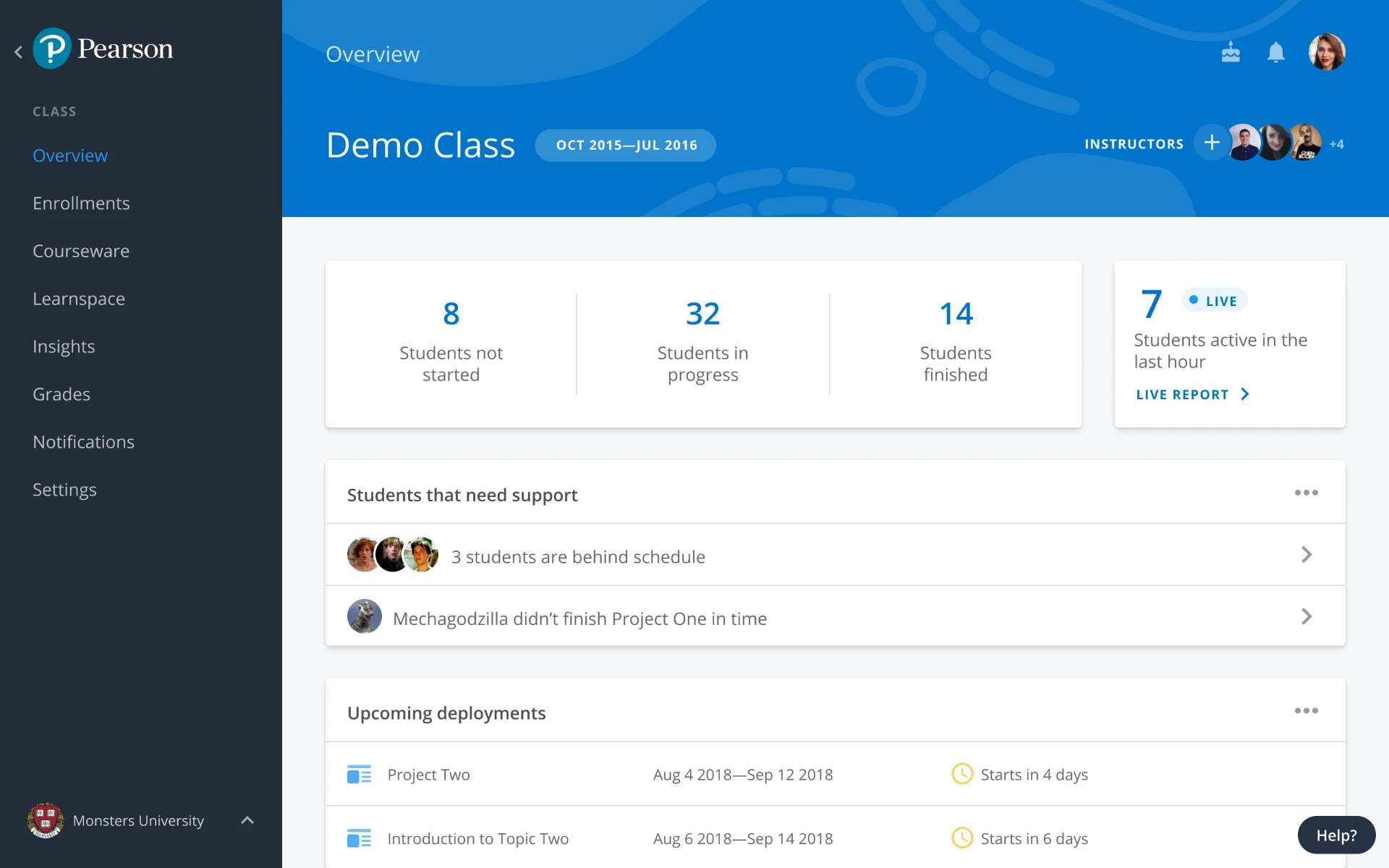
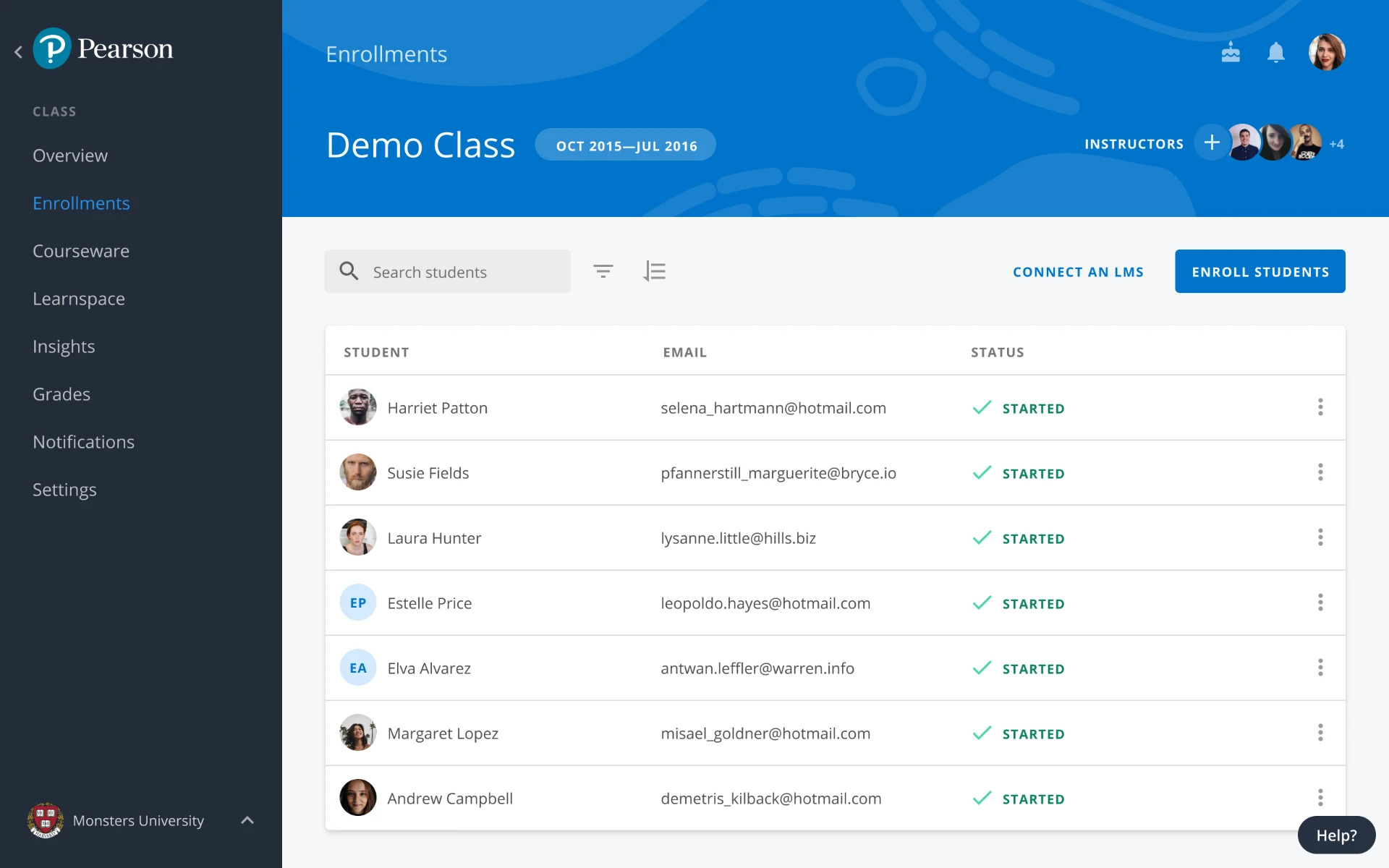
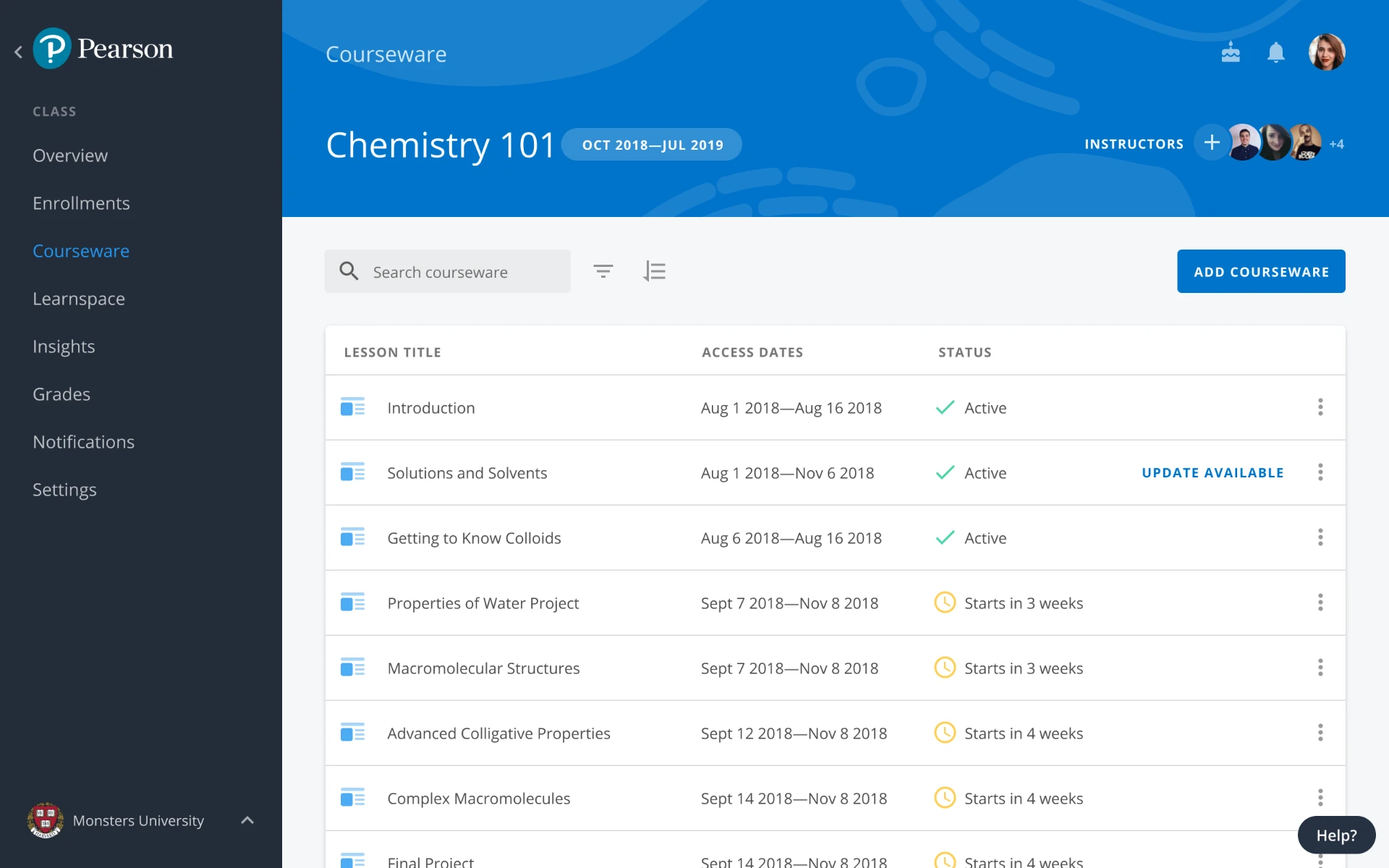
Managing a live class meant keeping enrolments, assigned courseware and day-to-day activity connected.
The Classes area brought these tasks into one consistent space, helping teams move between class information, learners and learning content without losing context.
CLASS OVERVIEW
See class activity and key information at a glance.
ENROLMENTS
Manage learners and class access.
COURSEWARE
Manage the learning content assigned to the class.
CLASS GRADES
As learners progressed through the courseware, teams needed a clear way to understand performance and identify where intervention was required.
Class Grades brought learner progress, results and manual grading into one connected workflow, making it easier to move from monitoring performance to taking action.
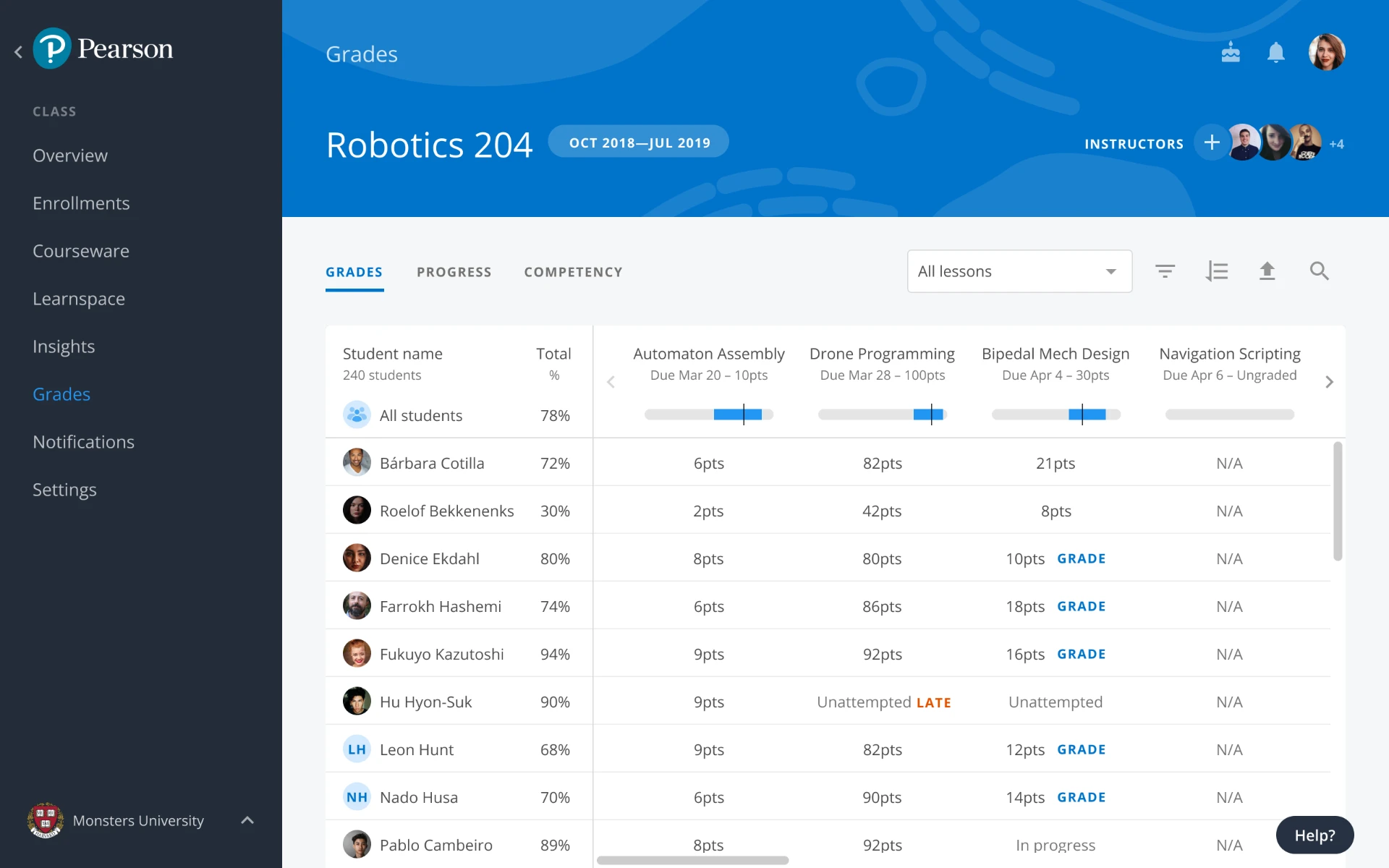
LEARNER PROGRESS
Track performance and progress across the courseware.
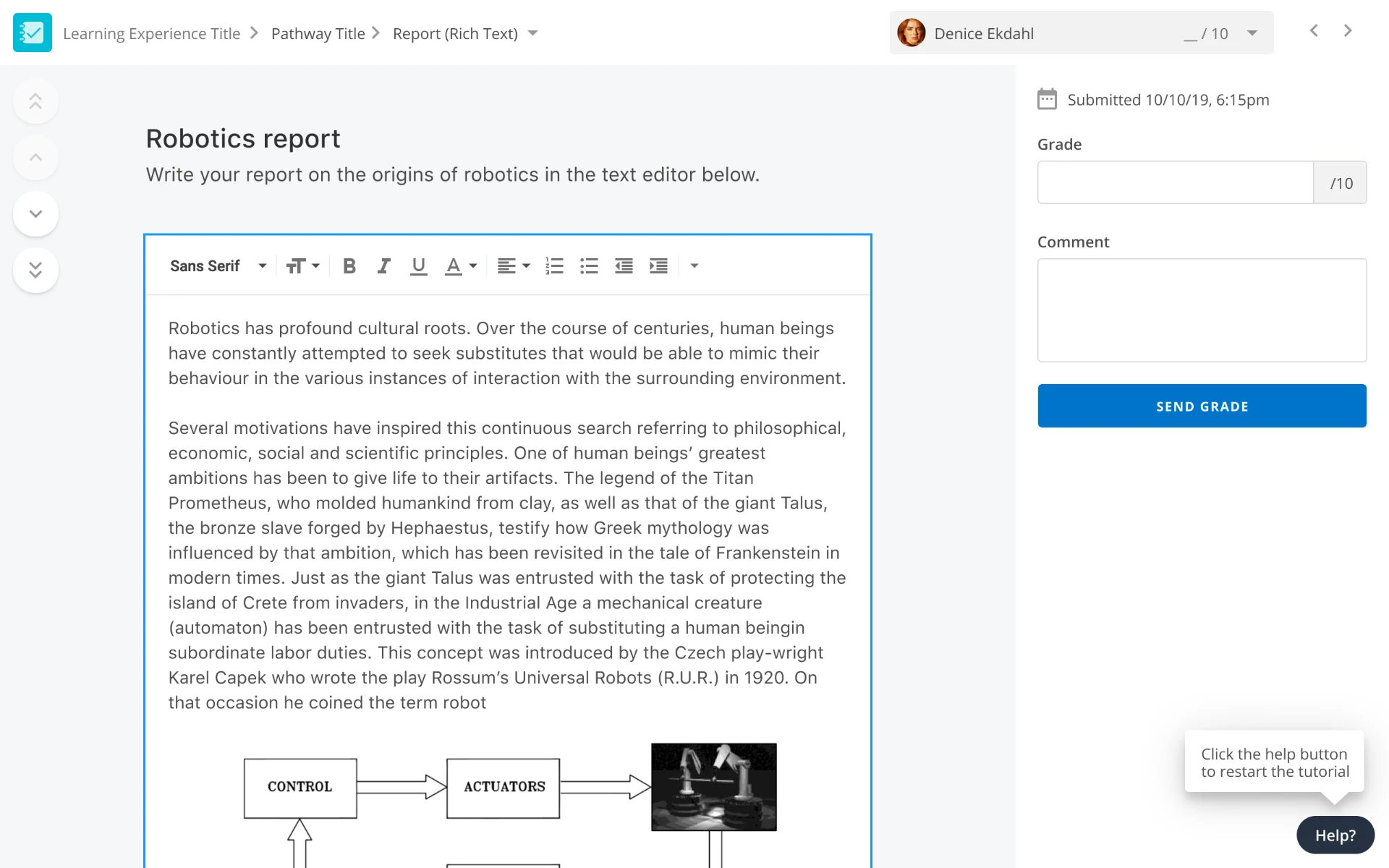
MANUAL GRADING
Review learner responses and provide grades or feedback.
Creating lessons, content and adaptive behaviour in one workflow
Building a lesson involved more than arranging screens. Authors needed to define a lesson structure, create content and configure how the experience could respond to different learner actions.
I designed connected tools that helped teams move from planning a lesson to authoring content and adding adaptive behaviour, while keeping the overall experience clear and manageable.
LESSON STRUCTURE
Authors first needed a clear way to create a lesson and define its structure.
The lesson workflow made it easier to start from a template and then map how screens and pathways connected within the experience.
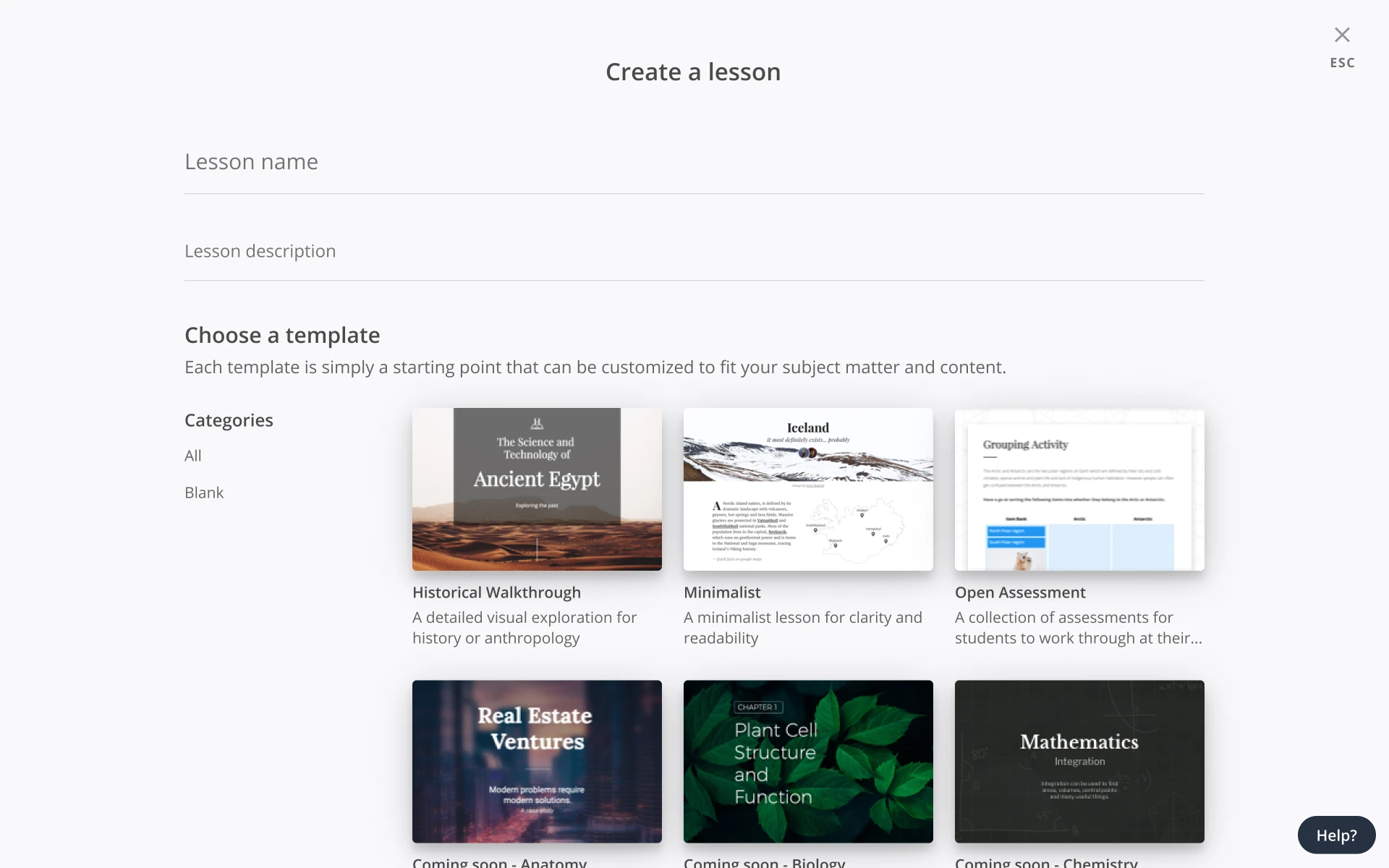
LESSON TEMPLATE
Choose a starting point for the lesson experience.
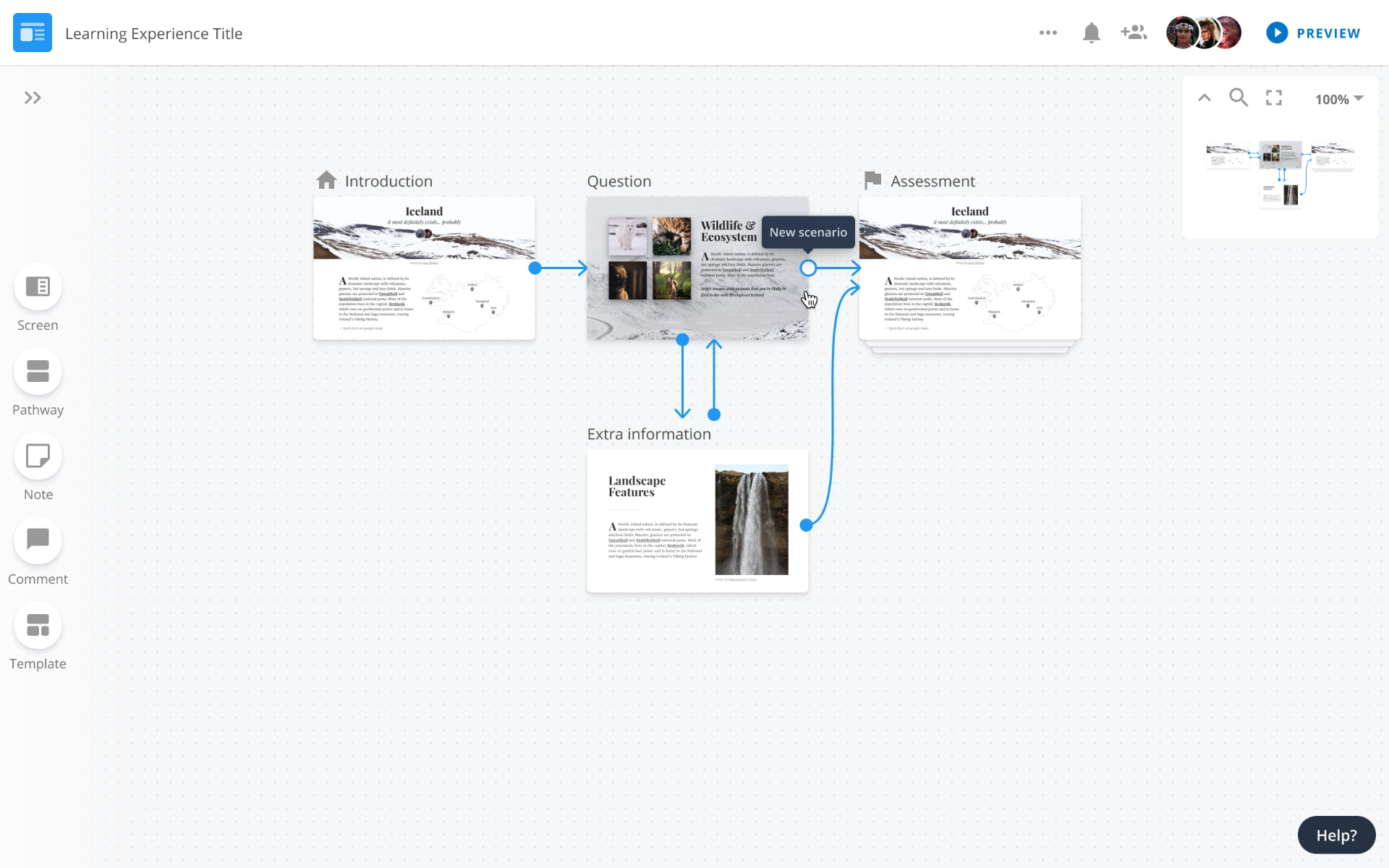
STORYBOARDER
Map screens and pathways within the lesson.
CONTENT AUTHORING
Once the lesson structure was in place, authors needed flexible tools to build the content itself.
Content authoring tools supported layout choices, visual styles and direct on-canvas editing, helping teams create richer lesson experiences without leaving the workflow.
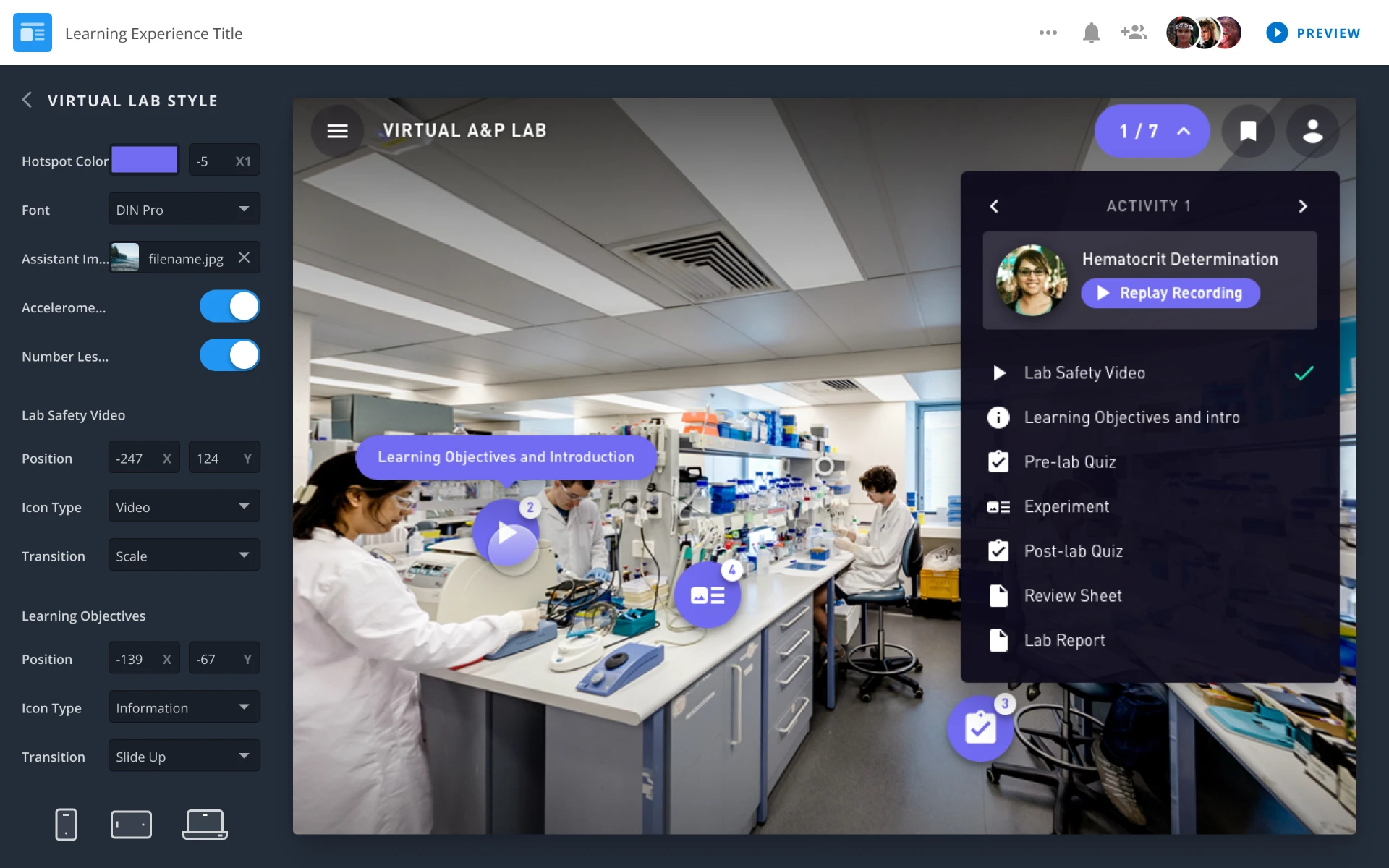
LAB DESIGN OPTIONS
Configure layout, style and interactive options for the learning experience.
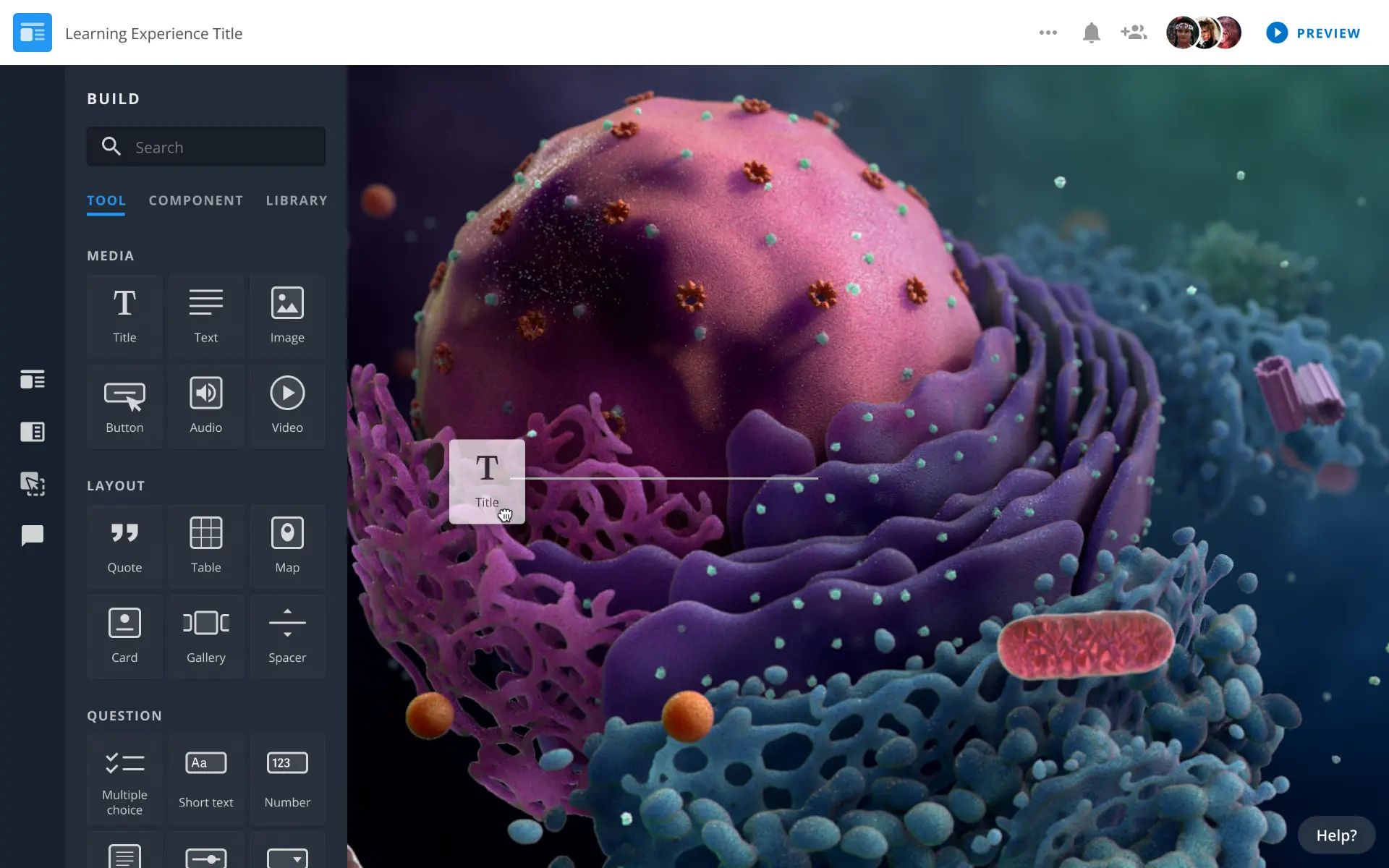
DIRECT CONTENT EDITING
Add and place content directly within the lesson canvas.
SCENARIOS
Adaptive lessons needed to respond differently depending on learner actions and previous choices.
Scenario tools gave authors a visual way to create branching logic, define conditions and test different outcomes, helping them manage complex lesson behaviour more clearly.
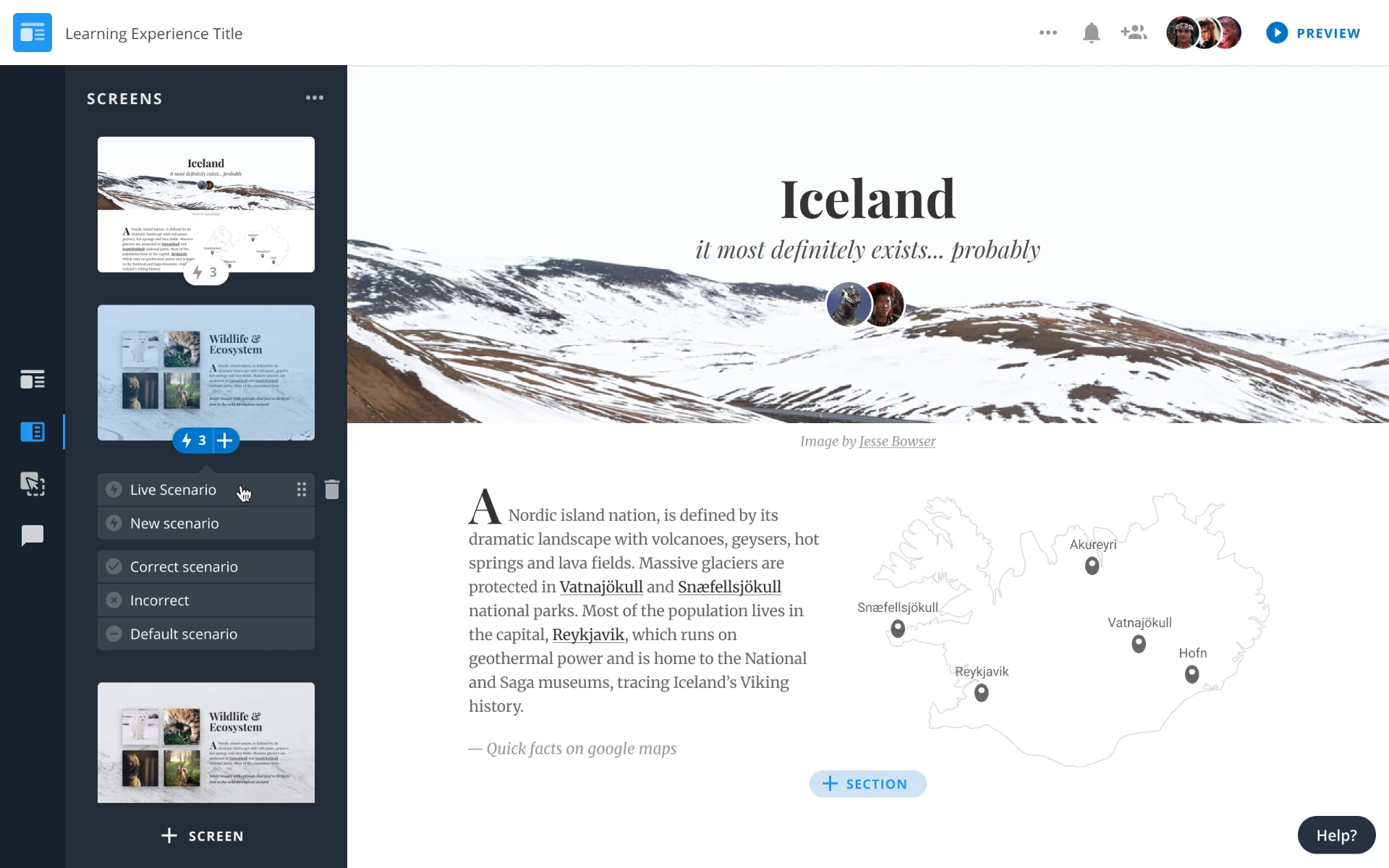
SCENARIO MANAGEMENT
Manage multiple scenarios within a lesson.
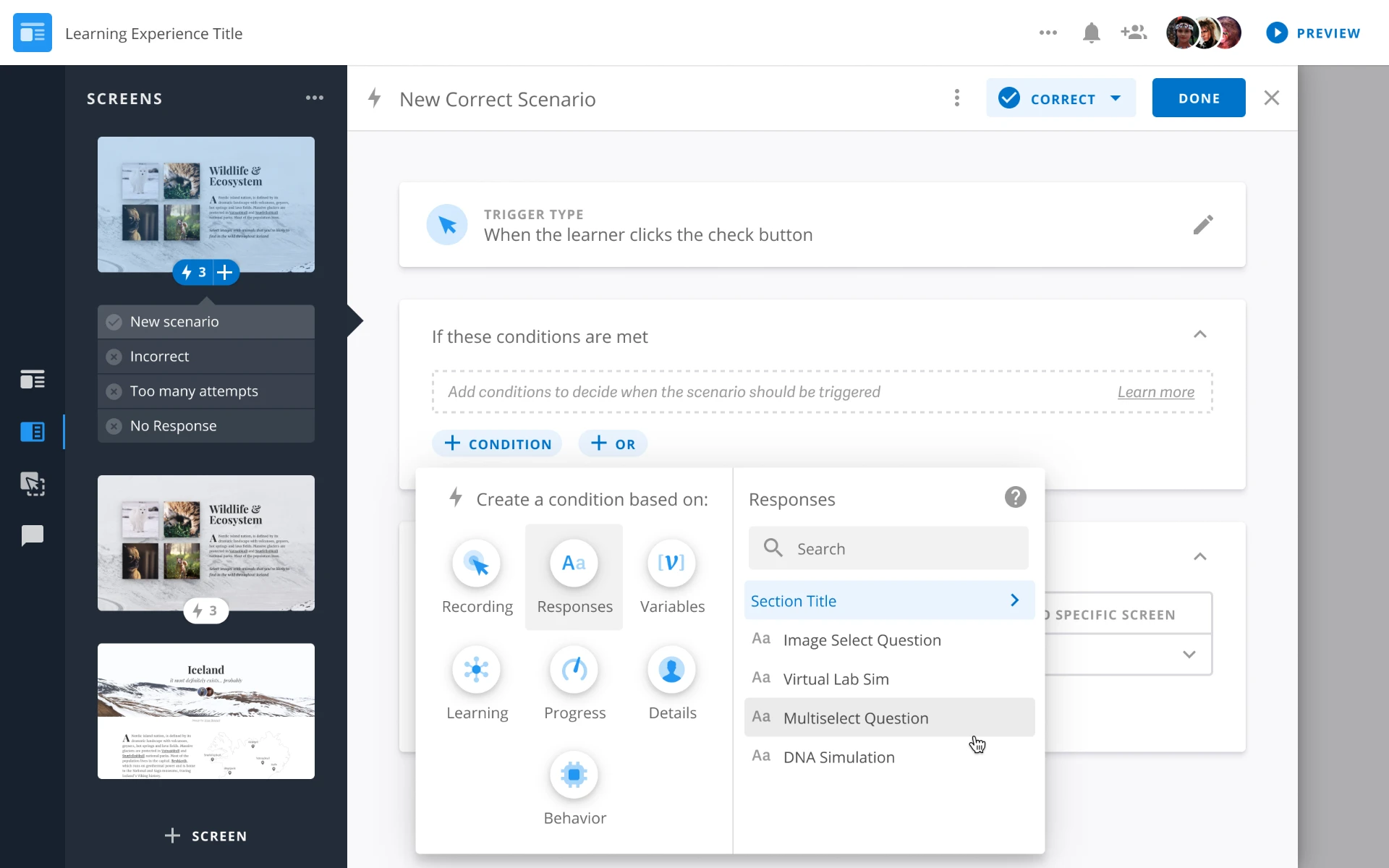
CONDITION SETUP
Create and configure the logic behind a scenario.
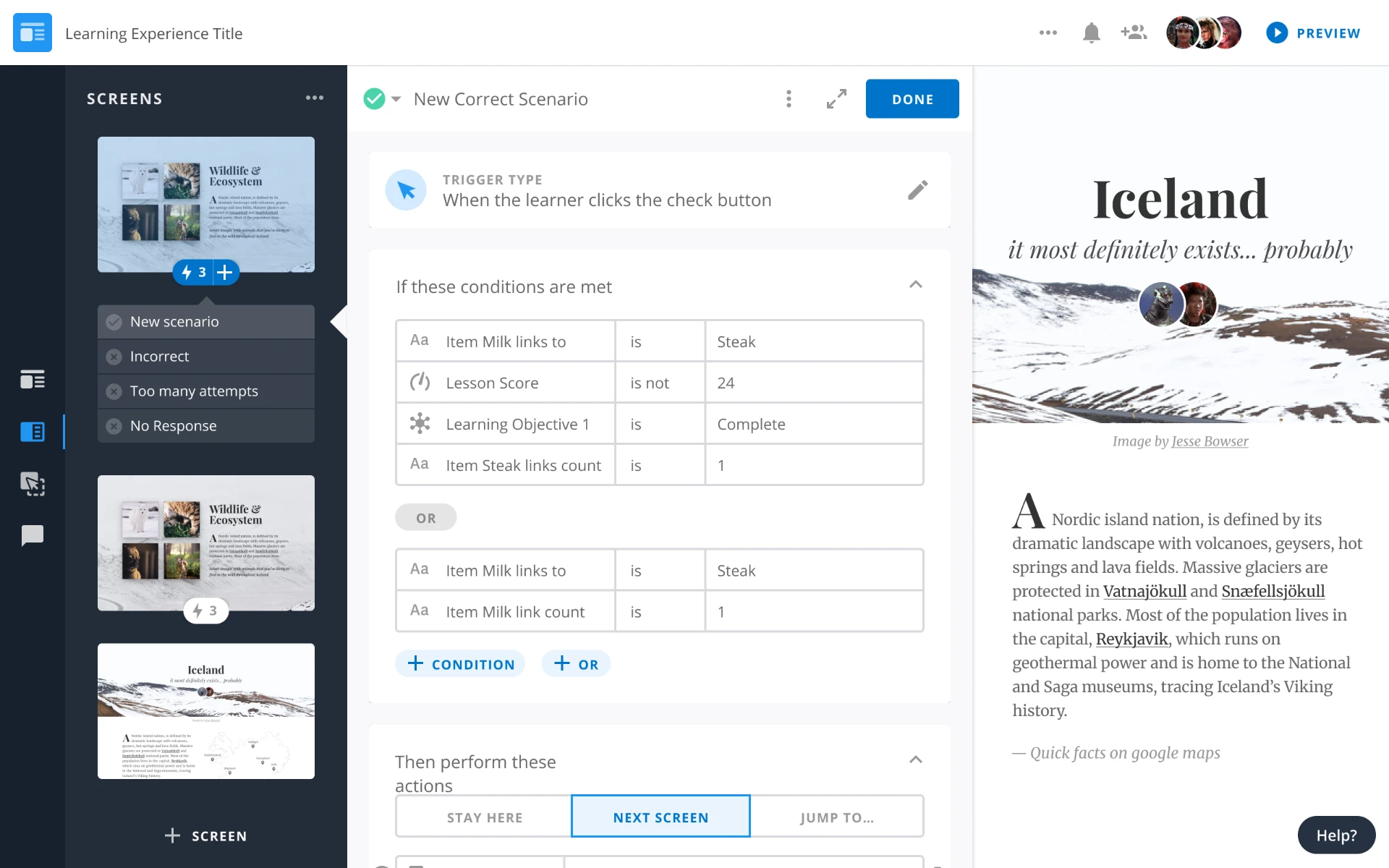
TESTING OUTCOMES
Review and test a more complete scenario with multiple possible outcomes.
A connected foundation for digital learning
Pearson connected course management, lesson creation and adaptive authoring into one consistent platform experience, helping learning teams manage complexity without changing how they worked from one area to another.
One Connected Workflow
Workspace, lesson building and adaptive scenarios were designed as parts of one connected experience rather than separate tools.
Complexity Made Clearer
Consistent structures and interaction patterns made complex tasks, from managing classes to building branching lessons, easier to understand and navigate.
CONSISTENCY ACROSS THE PLATFORM
Reusing established patterns across Workspace, course building and lesson authoring created a more consistent experience and made complex workflows easier to extend.
Before
Complex authoring and management tasks lived across different areas of the platform, making it harder to maintain a consistent experience as workflows became more advanced.
After
Learning teams could move from managing courseware and classes to building content and adaptive lessons through one connected, consistent product experience.